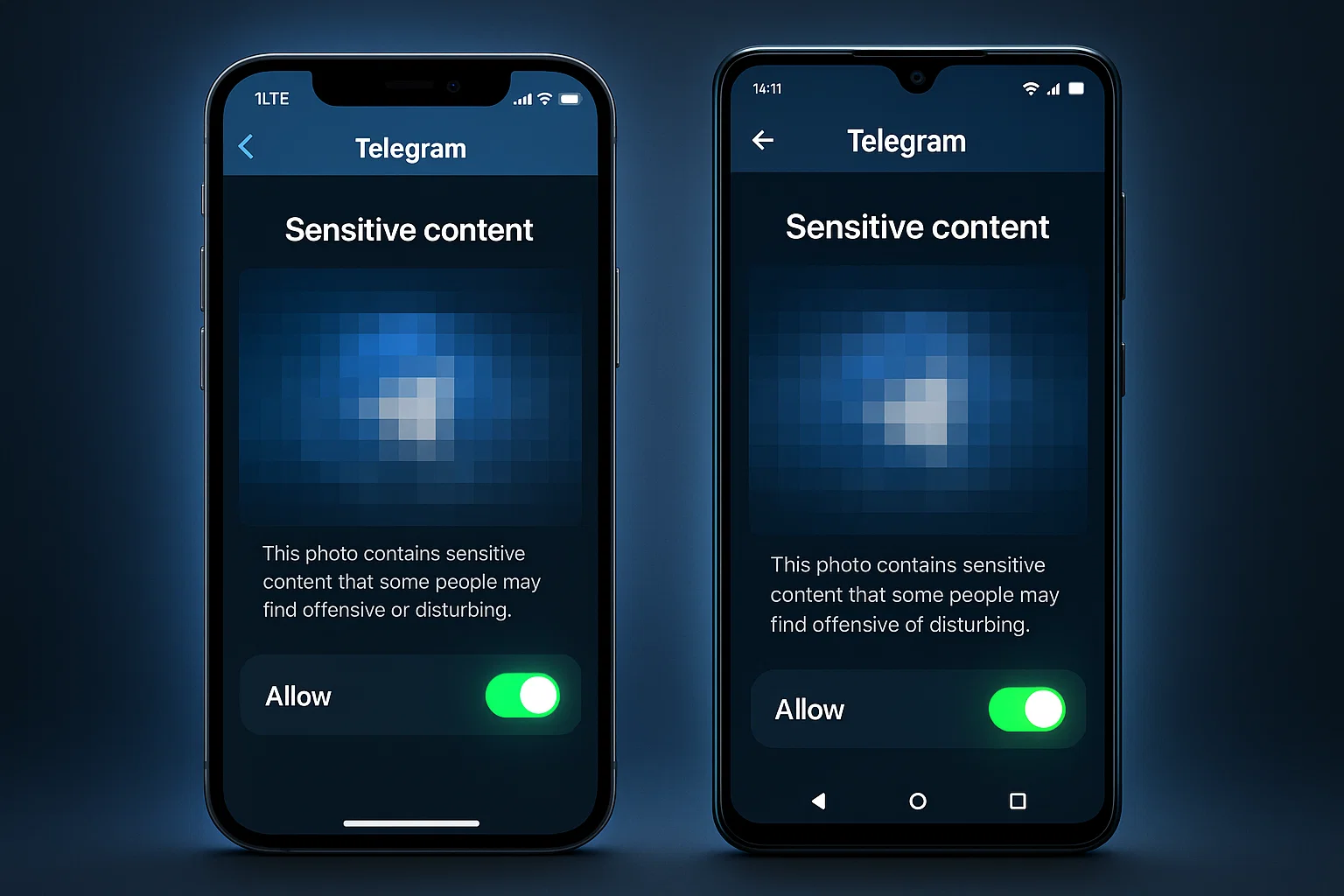
Telegram blocking adult content? Follow this updated 2026 guide to enable NSFW channels on iPhone, Android, Windows and Mac.
How to Enable NSFW on Telegram (Nicegram Fix 2026)
Updated November 13, 2026 – Telegram blocking adult content? Follow this updated 2026 guide to enable NSFW channels on iPhone, Android, Windows, and Mac. With stricter app store policies, especially on iOS, we'll cover the official settings and the reliable Nicegram workaround to unblock sensitive content without hassle. All methods are safe, legal for 18+ users, and verified for the latest Telegram version (11.2+).
Why Is Telegram Blocking NSFW Content in 2026?
Telegram's Sensitive Content Filter is designed to protect users from explicit or disturbing media, including adult (NSFW) material like nudity, violence, or graphic images. By default, it blurs previews and blocks channels/groups with warnings like "This channel cannot be displayed because it was used to spread sensitive content."
Key reasons for blocks:
- App Store Compliance: Apple and Google enforce policies against unfiltered adult apps, limiting iOS options.
- User Safety: Prevents accidental exposure, especially for minors.
- Global Regulations: Stricter laws in regions like the EU and US require proactive filtering.
In 2026, Telegram has synced settings across devices, but iOS users often need workarounds like Nicegram—a third-party client built on Telegram's API—for full access.
Pro Tip: Always confirm you're 18+ before enabling. These changes sync to all your devices.
Method 1: Official Telegram Settings (Works on Android, Desktop; Partial on iOS)
This disables filtering via Telegram's built-in privacy tools. It's the simplest for Android and desktop users.
On Android
- Open the Telegram app and tap the three-line menu (top-left).
- Select Settings > Privacy and Security.
- Scroll to Sensitive Content and toggle Disable Filtering (uncheck "Enable Filter" if shown).
- Restart the app—NSFW channels should now load without warnings.
Note: If the option is missing, update Telegram or try the web method below.
On Windows or Mac (Desktop App)
- Launch Telegram Desktop and click the menu icon (three lines, top-left).
- Go to Settings > Privacy and Security.
- Under Sensitive Content, toggle Disable Filtering on.
- The change syncs to mobile—log out/in on your phone to apply.
On iPhone (Limited Success)
The native iOS app often hides this toggle due to Apple's restrictions. If visible:
- Open Settings in Telegram > Privacy and Security > Toggle Disable Filtering. If not, use the Web Version workaround:
- On your iPhone, visit https://web.telegram.org/k/ in Safari.
- Log in, tap the menu > Settings > Privacy and Security.
- Scroll to Sensitive Content > Toggle Disable Filtering off.
- Refresh the iOS app—settings should sync.
2025 Update: iOS 18+ may require a device restart for sync. If it fails, proceed to Nicegram.
Method 2: Nicegram Fix (Best for iPhone & Full Unblock)
Nicegram is a free, official Telegram alternative client available on the App Store. It bypasses filters with built-in 18+ toggles and unlocks blocked channels/groups. No jailbreak needed—it's API-based and secure.
Steps for iPhone/iPad (iOS)
- Download Nicegram from the App Store (search "Nicegram – Telegram messenger").
- Open Nicegram and log in with your Telegram phone number (it imports chats seamlessly).
- Tap the menu (bottom-right) > Settings > Chat Settings.
- Scroll to Show 18+ Content and toggle it on.
- Confirm you're 18+ if prompted—NSFW media will now display unfiltered.
Bonus: Nicegram adds themes, unlimited pins, and folder sorting. It works offline and supports 4K video playback.
Steps for Android (Optional Enhancement)
- Download Nicegram APK from nicegram.app (enable "Unknown Sources" in Settings > Security).
- Install and log in as above.
- Follow iOS steps for toggles—great if official Android settings glitch.
Nicegram Bot Alternative (Quick In-App Fix)
If you prefer staying in official Telegram:
- In Telegram, search for @NicegramBot and start the chat.
- Tap Start > Select "I'm 18+ Years Old".
- Enable "Show Sensitive Content" in the bot's settings menu.
- The bot links to Nicegram for deeper access.
Verified November 2025: Nicegram v2.1+ complies with iOS 18 and Telegram's API updates—no bans reported.
Troubleshooting Common Issues (2026 Edition)
-
"This Channel Cannot Be Displayed" Persists?
- Clear Telegram cache: Settings > Data and Storage > Storage Usage > Clear Cache.
- VPN Trick: Use a free VPN (e.g., ProtonVPN) to switch regions—EU users may face extra blocks.
-
Settings Don't Sync Across Devices?
- Log out/in on all apps. Ensure all use the same account.
-
Nicegram Crashes on Load?
- Update to latest version. Disable iOS Low Power Mode.
-
Android Sideloading Issues?
- Use official APK from nicegram.app. Scan with antivirus.
-
Parental Controls Blocking?
- Disable device-level filters in iOS/Android Settings > Screen Time.
Safety Note: Nicegram is audited and doesn't store data—stick to trusted sources.
FAQ
Is Enabling NSFW Safe on Telegram?
Yes, for adults. It only affects your account—others see no changes. Telegram doesn't ban for viewing.
Does Telegram Premium Unlock NSFW?
No, Premium adds speed and stickers but not content filters. Nicegram is free.
Why Use Nicegram Over Official App?
It's App Store-approved for iOS, with extras like unblurred previews and blocked channel access.
Can I Revert Changes?
Yes—toggle filters back on anytime. Use incognito mode for one-off views.
Legal in My Country?
Check local laws—18+ only. Telegram complies globally.
Stay Secure & Updated
Enabling NSFW opens doors to communities, but prioritize privacy:
- Enable 2FA in Settings > Privacy and Security.
- Avoid sharing personal info in adult groups.
- Report violations via Telegram's in-app tools.
Bookmark this guide—we update quarterly for API changes.
🔥 Join our Telegram NSFW Directory channel: @ErogramPro
Last verified: November 13, 2026
Content for 18+ users only. Use responsibly—Telegram's terms apply.
Looking for the Best Telegram Groups?
Join thousands of active communities on Erogram today.
Read Next
Why Millions Are Switching to AI Companionship Lately
AI companionship has quietly gone mainstream. Here's why people are making the switch, what they're finding on the other side, and why Lovescape is leading the conversation.

⭐ Telegram NSFW Groups: How to Find Active, Real & Safe Channels in 2026
If you’re trying to find **real, active NSFW Telegram groups** in 2026, you know the struggle: most search results are outdated, full of dead links, or just spam. This guide explains how to find channels that actually work — updated daily, safe to join, and not filled with bots.

How Erogram Combats Illegal Material and Protects Child Safety
Learn how Erogram detects, prevents, and reports illegal content, including strict measures against CSAM. Our platform uses automated filters, human moderation, and transparent rules to keep users safe.